
Free strategy testing
Backtesting Software for Trading Strategies
Use free backtesting software to test trading strategies on US stocks, forex, crypto, and indices with TradingView charts. All without a cost.
Backtesting software
Test trading strategies on historical market data before putting real capital at risk.
Strategy tester
Configure a strategy, choose markets and timeframe, then run a repeatable test workflow.
Performance analysis
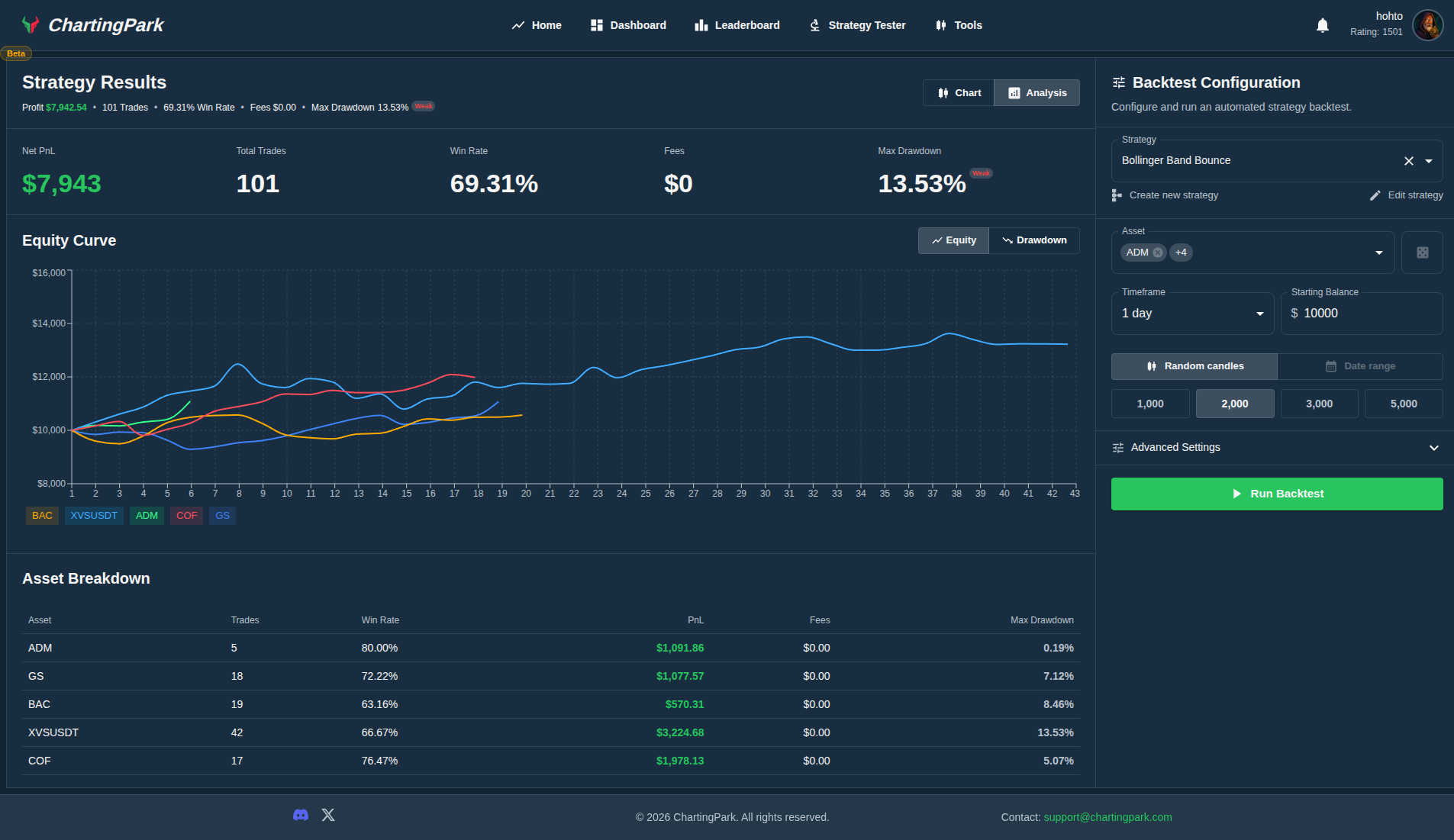
Review net profit, win rate, fees, drawdown, and equity curve after every backtest.
Trade review tools
Journal decisions, review outcomes, and tighten the next test cycle with real context.
Market coverage
Backtest Stocks, Forex, Crypto, and Indices in One Place
The platform covers the markets aspiring traders actually want to test. The goal is to keep the workflow unified whether you are exploring equity setups, forex strategies, crypto behavior, or major index ideas.
US stocks

Backtest single-name equities and stock-based strategies with a familiar charting workflow.
Major FX pairs

Evaluate forex strategy behavior across the pairs traders actually monitor every day.
Crypto

Test strategy logic on crypto markets without changing your review workflow.
Indices

Cover the major benchmarks: S&P 500, Nasdaq, Dow Jones, German 30, and FTSE 100.
Workflow
How the Backtesting Workflow Works
The structure is designed to be understandable from the first session: select a strategy, choose market and timeframe, run the test, then review the results with actual performance context.
Choose a strategy
Pick the setup or strategy logic you want to validate before risking real capital.
Select market and timeframe
Run the same strategy on stocks, forex, crypto, or indices using the timeframe you actually trade.
Run the backtest
Use the strategy tester workflow to simulate the strategy on historical market data.
Review and improve
Break down trades, metrics, and notes so the next test is more informed than the last one.
Performance analysis
Analyze Every Backtest With Clear Performance Metrics
The analytics layer turns backtesting software into a usable decision tool. After each run, traders can review the metrics that actually matter instead of relying on a vague sense of whether the strategy felt good.
- Net profit and total trades
- Win rate and fee impact
- Maximum drawdown and equity curve
- Asset-by-asset performance breakdown
What the analysis should surface
- Whether the strategy produced durable returns or only isolated wins
- How fees and drawdown changed the quality of the outcome
- Which assets contributed most to the overall result
- Where the next review pass should focus before another run
TradingView charts
Use TradingView Charts During Strategy Testing
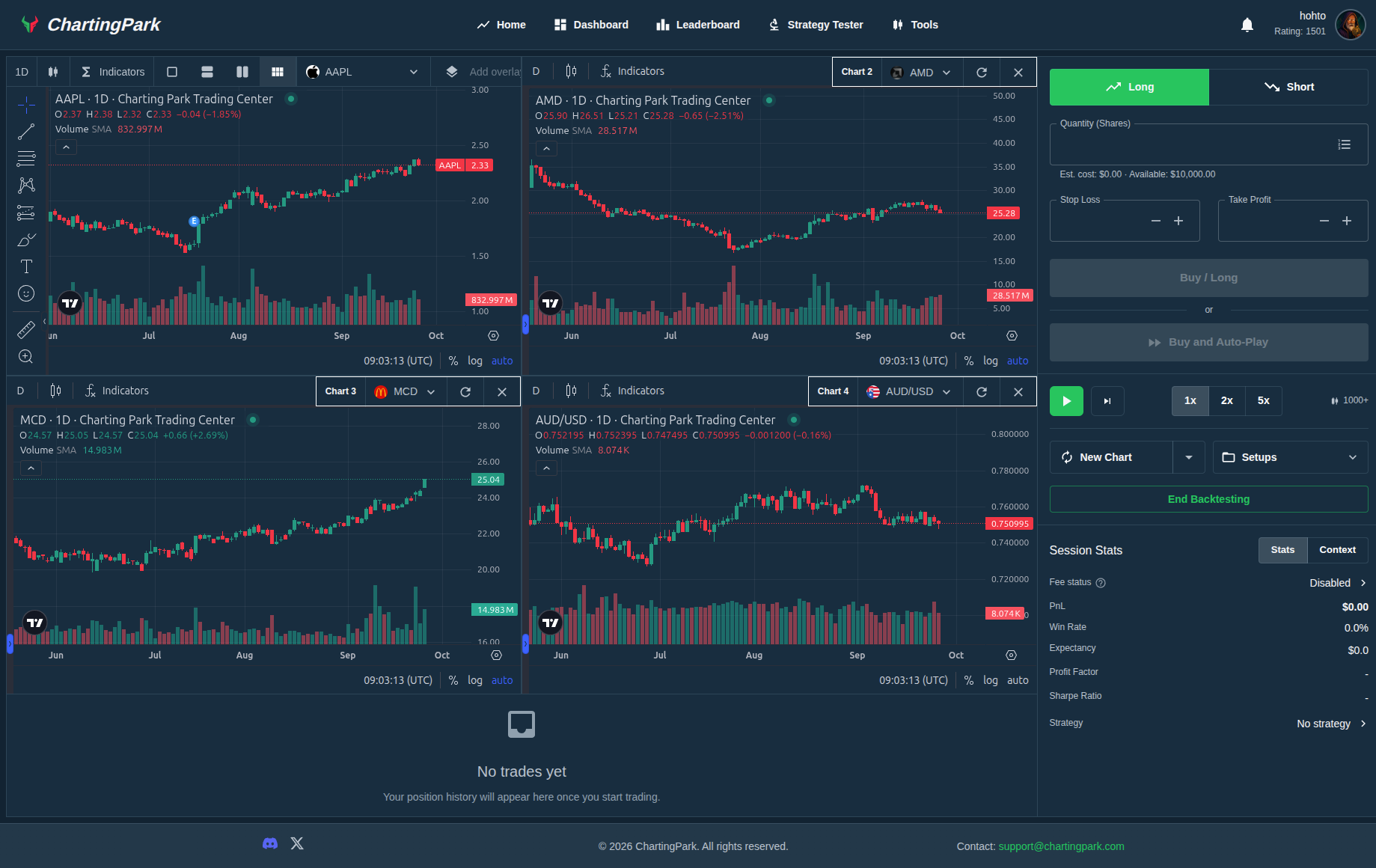
The charting workflow matters because aspiring traders learn visually. Using TradingView charts inside the backtesting environment makes it easier to inspect structure, compare instruments, and understand why a strategy behaved the way it did.
- TradingView charts inside the testing workflow
- Multi-chart context for visual strategy review
- Familiar charting environment for aspiring traders
Why the charting layer matters
- Visual context helps traders inspect structure, timing, and trade location
- Multi-chart views make cross-market comparison faster and more consistent
- A familiar charting environment reduces friction during repeated testing
- Review becomes easier when execution and chart context stay in one workflow
Review workflow
Review Trades, Journal Decisions, and Improve Faster
Backtesting is useful when it feeds the next decision. The workflow should support journaling, reviewing outcomes, and refining strategy logic instead of reducing everything to a single summary number.
Trade journaling
Capture notes on why a setup qualified, how the trade behaved, and what needs refinement.
Backtest review
Use every run as a review loop, not just a single result screen with a headline PnL number.
Strategy iteration
Improve strategy logic with evidence from metrics, charts, and per-asset breakdowns.
Why this workflow
Why Traders Use Structured Backtesting
The product is designed to feel serious and usable from the first session. It is free to start, centered on actual trading workflows, and built to connect strategy testing with performance review.
Product strengths
- Free to start for traders validating strategy ideas
- Built for practical backtesting, not only quant-heavy workflows
- Supports stocks, major FX pairs, crypto, and key indices
- Combines strategy testing, analytics, and review in one place
Common questions
Answers Before You Start
What is backtesting software?
Backtesting software helps traders test strategies on historical market data to see how those strategies would have performed before risking real money.
Is it free to use?
It is free to start. The homepage positions it as free backtesting software so traders can begin testing strategies without immediate setup friction.
What markets can I backtest?
The current product messaging covers US stocks, major FX pairs, crypto, and major indices including the S&P 500, Nasdaq, Dow Jones, German 30, and FTSE 100.
Does the platform include performance analysis?
Yes. The strategy results workflow includes metrics such as net profit, win rate, fees, max drawdown, equity curve, and asset-level breakdowns.
Can I review and journal trades after a backtest?
Yes. The product positioning includes journaling and review so traders can learn from test results rather than only seeing a summary outcome.